

Your oil and gas field drive stops spinning after a Tuesday site visit along SH-249. Months of geological survey data and seismic recordings that cannot be downloaded from anywhere are on that drive. A Lone Star College final project drive will not mount the morning of submission. Your Tomball Main Street business has not opened because the drive holding three years of QuickBooks accounting records is making a clicking sound. Professional data recovery Tomball TX service from Harry Repairs handles every one of these situations the same day. No recovery. No fee. Call (346) 367-5911 right now.
For all 10 device repair services in Tomball TX, visit the Tomball TX Device Repair Hub.
What Customers Say About Our Data Recovery Services In Tomball TX
What Tomball TX Residents and Professionals Stand to Lose When a Drive Fails
Your data loss in Tomball TX is not a generic problem. The specific combination of energy sector professionals, established long-term residents, Lone Star College students, and historic downtown business owners means the data at risk here is genuinely different from what other Houston suburbs face.
Specifically, here is what Tomball TX customers bring to Harry Repairs for recovery:
- Geological survey data, seismic recordings, and well logs stored locally on field drives used by Tomball’s oil and gas professionals: data that cannot be downloaded from a server and cannot be recreated without returning to the field
- Hundreds of hours of digitised family archives: scanned photo albums, converted VHS tapes, and film negatives that long-term Tomball residents spent years digitising, with the original physical media now discarded
- QuickBooks accounting histories, POS transaction records, and customer databases from downtown FM 2920 Main Street businesses that have operated without cloud backup or IT support
- Lone Star College final project work, FAFSA documentation, and scholarship portfolios: semester-end academic data with submission deadlines that do not move
- Tomball ISD dual credit coursework and Lone Star College assignments stored on a single device that links two institutional timelines simultaneously
- Home office archives from energy sector remote workers whose corporate VPN data, engineering reports, and project documentation were stored locally rather than on company servers
- Family photos and videos from Tomball events: community celebrations, school graduations, sports seasons, and milestones that exist on a single drive with no other backup
When any of these drives fail, the window for successful recovery is short. Acting immediately is the single most important factor in your data recovery Tomball TX outcome. Power off your device before calling.
Why Tomball TX Drives Fail in Ways That Are Specific to This Community
Drive failures in Tomball TX follow patterns that reflect your community’s workforce, geography, and building stock. Understanding these patterns helps you act correctly in the critical first minutes after failure.
Oil and Gas Field Drives Face Industrial-Level Physical Stress
Tomball’s field engineer workforce carries portable hard drives, external SSDs, and ruggedised laptops to job sites along SH-249 and beyond. Your field drive experiences a stress cycle that no home office drive endures. The drive loads into a truck cab that reaches 140 degrees Fahrenheit in a Texas summer. Unpaved access roads send constant vibration through the bag directly to the drive chassis. Then it moves into an air-conditioned office where it cools rapidly.
This thermal cycling of extreme heat followed by rapid cooling causes metal components inside your hard drive to expand and contract repeatedly. The read head assembly shifts alignment fractionally with each cycle. Over months, the cumulative misalignment causes the heads to contact the platter surface during normal operation. When contact occurs, your platter develops a damaged track and the drive begins clicking. At that point, every additional spin causes further damage to the data. Stop using it immediately and call (346) 367-5911.
Additionally, solid state drives in field environments face a different failure mode. The NAND flash controller in your SSD is sensitive to sustained high temperatures. A field drive stored in a truck cab for weeks during summer accumulates thermal stress on the controller that causes silent cell failures. Your SSD appears healthy until one morning it does not mount. Because SSD failure often shows no warning signs, the drive becomes unreadable without any audible indication beforehand.
Winter Storm Uri Created a Specific Drive Failure Pattern Across Tomball
SH-249 connects Tomball to power infrastructure at the edge of development. When Winter Storm Uri caused extended outages across the Tomball corridor in February 2021, many residents experienced multi-day power loss. This created a drive failure pattern that is mechanically different from summer surge events.
During extended winter outages, temperatures inside homes drop significantly. The metal bearings inside mechanical hard drives contract as they cool. When power restores suddenly at full line voltage, the motor receives a full power impulse before the contracted bearing has warmed and expanded to its normal clearance. The result is a seized bearing on first spin, which causes the drive to fail to initialize and in many cases produces no sound at all. Consequently, many Tomball residents whose drives appeared to survive Winter Storm Uri discovered days or weeks later that the drive no longer worked at all. If your drive stopped working after any extended Tomball winter outage, the data is likely still on the platters and recoverable. Call (346) 367-5911 for a same-day assessment before attempting to power it on again.
Established Tomball Homes Have Drives That Have Never Been Backed Up
Tomball’s median home construction year is 1994. Many established Tomball households have computers and external drives that have been accumulating data for ten to fifteen years with no backup plan in place. The specific risk Harry Repairs sees regularly from long-term Tomball residents involves digitized archives. Your family spent years scanning old photographs, converting VHS home videos, and digitizing slides and film negatives to a single hard drive. The original physical media, including the photo albums, the VHS cassettes, and the slide carousels, was discarded after the scan because the digital copy was assumed to be permanent.
When that drive fails, the loss is absolute. Unlike a photo deleted from a phone that might still exist in a cloud backup, a scanned archive on a failed local drive has no secondary copy anywhere. Harry Repairs treats these cases with the same urgency as commercial data loss because the irreplaceability of the data makes the stakes identical.
Lone Star College Semester-End Drive Failures Have Layered Consequences
A Lone Star College Tomball student whose drive fails in the final two weeks of a semester faces a specific kind of crisis. Your drive may contain final project files, portfolio submissions, and research documents for multiple classes simultaneously. It may also contain your FAFSA financial aid application documents, scholarship submission portfolios, and supporting evidence that your college’s financial aid office requires before the semester closes.
Furthermore, Tomball ISD dual credit students who use one device for both high school and college work lose both institutional archives simultaneously when that device fails. The Lone Star College submission deadline and the Tomball ISD grade submission window close at different times, meaning the student faces two separate deadline crises from a single hardware failure. Harry Repairs handles same-day data recovery for Lone Star College Tomball students with semester-end urgency as the priority. Call (346) 367-5911 the moment your academic drive shows any sign of failure.
Tomball Main Street Business Drives Contain Irreplaceable Commercial Records
The historic businesses along FM 2920 in downtown Tomball, including antique dealers, specialty retailers, local restaurants, and professional service offices near the Tomball Depot area, typically store years of commercial data locally on a single machine. When that drive fails, years of QuickBooks accounting history, customer transaction records, supplier payment histories, and business-critical documents become inaccessible.
In many cases these businesses have never set up cloud backup or engaged an IT provider. The failing drive may be the only place this data exists. Furthermore, the business cannot produce records for tax purposes, cannot process customer accounts, and in some cases cannot legally operate without access to its transaction history. Harry Repairs provides emergency same-day data recovery for Tomball’s Main Street business owners with the commercial urgency that closure represents. Call (346) 367-5911 immediately when your business drive shows any sign of failure.
Warning Signs Your Tomball TX Drive Is Failing Right Now
Many drive failures announce themselves before they become complete. Recognising these warning signs early gives Harry Repairs a significantly better chance of recovering everything. Watch for:
- Clicking, grinding, or ticking sounds coming from your hard drive: this is the read head making physical contact with the platter surface and means the drive is experiencing active mechanical damage with every spin
- The drive not appearing in your file explorer even though it is connected and the power light is on: this indicates a logical, electronic, or firmware failure that needs immediate professional assessment
- Files or folders that have suddenly disappeared from a drive you have not touched recently: logical corruption is progressing and may spread to additional sectors if the drive continues to operate
- Extremely slow file transfers that were previously fast: the drive is struggling to read sectors and is remapping bad blocks, which is a sign of imminent mechanical or logical failure
- Your computer freezing specifically when the drive is accessed: the operating system is waiting for a drive response that is not coming within normal time limits
- An unusual burning smell from the drive or from the computer housing the drive: the drive’s electronics have sustained heat damage and the drive must be powered off immediately
- The drive producing a single loud click followed by silence: the read heads have parked in a failed position and the drive will not spin up again without professional intervention
If your Tomball TX drive shows any of these symptoms, power off the device immediately. Do not restart. Do not run any software. Call (346) 367-5911 right now.
What NOT to Do After a Drive Fails in Tomball TX
The actions taken in the first minutes after a drive failure determine whether recovery is possible. Several common responses to drive failure cause permanent, unrecoverable data loss. Do not make these mistakes:
- Do not keep powering the drive on to check if it works: every spin of a mechanically failing drive drags the read heads across damaged platter tracks, destroying more data with each attempt. One additional power-on after a clicking failure can take a 90% recovery down to 30%
- Do not run CHKDSK or disk repair utilities: these tools attempt to repair the file system by overwriting data, which permanently destroys the files you are trying to recover. Running CHKDSK on a failing drive is one of the most common causes of unrecoverable data loss Harry Repairs sees from Tomball TX customers
- Do not install data recovery software onto the failing drive: writing new software to a failing drive overwrites sectors where your lost files may still exist. Always recover to a different drive or use a separate system
- Do not open the drive casing at home: hard drives must be opened only in a cleanroom environment. A single microscopic dust particle landing on the platter surface at operating speed causes permanent, unrecoverable damage to every track it contacts
- Do not put the drive in the freezer: this common myth causes condensation to form inside the drive when it warms, introducing moisture directly onto the platters and circuit board. Any temporary benefit disappears within minutes and the condensation causes permanent damage
- Do not assume the data is gone because the drive makes noise: clicking and grinding indicate mechanical failure but the data on the platters is very often still intact and recoverable with professional handling
Our Data Recovery Process for Tomball TX Customers
Every data recovery Tomball TX case at Harry Repairs follows a structured process designed to maximise recovery success while protecting your data at every stage.
Step 1. Same-Day Drive Assessment at the FM 1960 Shop or Your Tomball Address
A full assessment of your drive identifies the failure type: logical failure, electronic failure, mechanical failure, or firmware corruption. This determines the recovery approach, the likelihood of success for your specific failure, and a realistic timeline. If your field drive contains proprietary energy sector data, the technician establishes the confidentiality protocols required before any recovery work begins.
You receive an honest prognosis before any paid work begins. The explanation covers exactly what the recovery involves for your specific failure. If your drive’s condition makes full recovery unlikely, you are told that directly rather than after hours of work.
Step 2. Drive Image Created Before Recovery Starts
Before any recovery attempt, a complete image of the drive is created. This means the recovery process works from a copy of your drive, not the original. Consequently, your original drive is never modified and your data state is preserved throughout. This is particularly important for clicking or damaged drives where every operation on the original device risks further degradation. The drive image uses read-only forensic imaging tools that do not write to your source drive at any point.
Step 3. Targeted File Extraction Prioritised Around What Matters Most
Recovery begins from the drive image with extraction prioritized around the files you specifically need. For a Lone Star College student, that means final project files and academic submissions first. A Main Street business owner gets QuickBooks data and transaction records first. For a field engineer, geological survey files and seismic data take priority. The technician works through the priority list systematically rather than running a generic recovery that returns thousands of files in random order.
Step 4. Verified Recovery and Secure Return
Every recovered file is verified to be readable and uncorrupted before the recovery is considered complete. You do not receive a folder of broken or partially recovered files. Instead, you receive confirmed, working copies of your data. Files are returned to you on a clean external drive or via secure transfer as your preference. After recovery, the technician provides specific backup guidance tailored to your Tomball TX setup. This covers cloud backup solutions for academic work or offline backup protocols for field drive data.
No Recovery. No Fee. The Harry Repairs Guarantee for Tomball TX.
Harry Repairs protects you with a strict no recovery no fee policy for every data recovery Tomball TX service. If your files cannot be recovered, you owe nothing. This policy applies to every drive type and every failure scenario, from a field engineer’s portable SSD to a Main Street business mechanical drive to a student’s external backup.
The assessment itself is honest and upfront. If Harry Repairs cannot recover your data, you will know that before any significant work begins rather than after waiting days and paying for an attempt. Tomball TX customers receive a clear prognosis at the assessment stage, a realistic recovery likelihood, and a confirmed quote before recovery work proceeds.
In-Store and Mobile Data Recovery for Tomball TX
Drop Off at the FM 1960 Shop
The Harry Repairs shop is at 3934 Farm to Market 1960 Rd W, Houston, TX 77068, open 7 days a week from 10 AM to 8 PM. From central Tomball, the shop is approximately 10 to 15 minutes via SH-249 South to FM 1960. Walk-ins are always welcome for drive drop-off. Bring only the drive itself rather than the full computer whenever possible, as isolating the drive reduces the risk of further damage during transport. Most same-day assessments complete within a few hours of drop-off.
Mobile Data Recovery at Your Tomball TX Address
Mobile assessment is available throughout Tomball TX at no extra charge. If your data drive is inside a docked workstation or NAS server that cannot be safely transported, the technician comes directly to your Creek Falls, Amira, Wood Creek, or any other Tomball TX address. Main Street business owners who cannot close for a drive drop-off keep the business open while the recovery assessment begins at their address. Call (346) 367-5911 to confirm same-day mobile availability for your specific Tomball TX address.
Storage Devices Harry Repairs Recovers Data From in Tomball TX
Harry Repairs recovers your data from all major storage device types used across Tomball TX homes, businesses, and professional workplaces. These include:
- Internal hard drives (HDD): including Seagate, Western Digital, Toshiba, Hitachi, and all major manufacturers, in all capacities
- Solid state drives (SSD): including SATA SSDs, NVMe M.2 drives, and PCIe SSDs from Samsung, Crucial, WD, Kingston, and all major brands
- External hard drives and external SSDs: including WD My Passport, Seagate Backup Plus, LaCie, G-Drive, and all portable drive brands commonly used by Tomball’s field engineer workforce
- USB flash drives and thumb drives: all brands and capacities, including physically damaged drives with broken connectors
- SD cards and memory cards: all formats including SD, microSD, CompactFlash, and CFexpress
- MacBook and Apple device SSDs: including soldered logic board SSDs from MacBook Air and MacBook Pro models, both Intel and Apple Silicon
- NAS drives and RAID arrays: for Tomball TX businesses and home office professionals running network attached storage
If your storage device type is not listed above, call (346) 367-5911 to confirm availability before making the drive from Tomball to the FM 1960 shop.
If your data loss was caused by a ransomware infection, visit Virus Removal Tomball TX, where ransomware removal and file recovery are handled together in a single visit. Also, if the drive failure has damaged other hardware in your device, visit Computer Repair Tomball TX for combined drive replacement and data recovery in one appointment. In case its a laptop then please visit Laptop Repair Tomball TX
Tomball TX Neighborhoods Harry Repairs Serves for Data Recovery
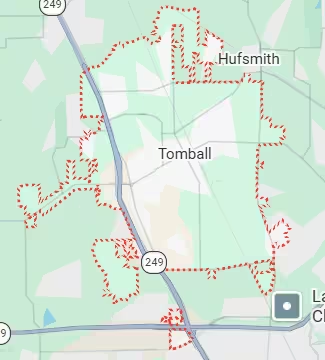
Harry Repairs provides same-day data recovery assessment throughout all Tomball TX communities. Mobile service covers Creek Falls at Country Lake, Amira, Wood Creek, Heritage Oak Park, and Becker’s Landing along Grand Parkway TX-99. The service area also includes all established Tomball neighborhoods near the historic downtown FM 2920 corridor, the Tomball Depot area, Spring Creek neighborhoods, Willow Creek homes, Hufsmith, Pinehurst, and all Tomball TX streets across the 77375 and 77377 zip codes at no extra charge.
Frequently Asked Questions.
My field drive from a SH-249 job site is clicking. Can the data be recovered?
Clicking is the most critical data recovery Tomball TX emergency Harry Repairs handles. The clicking indicates read head contact with the platter surface, and every additional spin causes more damage. Power off the drive immediately. Do not attempt to power it on again. Call (346) 367-5911 right now for same-day assessment. Field drives with geological survey data and seismic recordings are treated as priority recoveries at Harry Repairs given the commercial value and irreplaceability of the data.
My Lone Star College final project drive is not mounting. Submission is today. Can you help?
Call (346) 367-5911 immediately and explain the submission deadline when booking. A drive that does not mount is most commonly a logical failure or firmware issue, not a mechanical failure, and logical recovery often completes within a few hours at the FM 1960 shop. Harry Repairs prioritises same-day recovery for Tomball TX students with active academic deadlines. Bring the drive to the FM 1960 shop directly for the fastest turnaround.
My Tomball Main Street business drive stopped working. Can you recover the data today?
Harry Repairs provides emergency same-day data recovery for Tomball’s FM 2920 corridor businesses. Call (346) 367-5911 immediately. A technician can come directly to your Main Street address for an on-site assessment, or you can bring the drive to the FM 1960 shop for priority treatment. Business-critical QuickBooks data, POS records, and accounting files are all recoverable in most cases when the drive has not been subjected to additional power-on attempts after failure.
I scanned thousands of old family photos to a hard drive and the originals are gone. Can the drive be recovered?
This is among the most emotionally significant data recovery Tomball TX cases Harry Repairs handles. Drives containing digitised photo archives, converted VHS footage, and scanned film negatives are treated with the same urgency as commercial data recovery. Call (346) 367-5911 immediately and bring the drive to the FM 1960 shop without powering it on again. In most cases where the drive has not been run repeatedly after failure, the digitised archive is fully recoverable.
My drive stopped working after the power came back on during a winter storm. What happened?
This is a specific failure pattern Harry Repairs sees from Tomball TX customers on the SH-249 corridor after extended winter outages. Extended cold followed by sudden full-voltage power restoration can cause bearing seizure on first spin. The data on the platters is typically undamaged. Do not attempt to power the drive on again. Call (346) 367-5911 for same-day assessment. Most post-winter-outage drive failures in Tomball TX are recoverable when handled correctly.
Do you charge if my data cannot be recovered in Tomball TX?
No. Harry Repairs operates a strict no recovery no fee policy for every data recovery Tomball TX service. If your files cannot be recovered, you owe nothing. You receive an honest prognosis and a confirmed recovery likelihood at the assessment stage before any significant paid work begins. Call (346) 367-5911 to book a same-day assessment.
Is weekend data recovery available in Tomball TX?
Harry Repairs operates 7 days a week from 10 AM to 8 PM. In-store drop-off and mobile visits throughout Tomball TX are available on Saturdays and Sundays. A drive failure on a Friday afternoon does not mean waiting until Monday. Call (346) 367-5911 any day of the week for same-day data recovery Tomball TX assessment.
Can you recover data from a drive that has not been used in years?
Yes. Harry Repairs regularly recovers your data from drives that have been in storage for years. Long-term storage can cause bearing seizure from lubricant settling in your drive components and can cause SSDs to lose charge retention on flash cells. Both are recoverable failure modes in most cases. For old drives containing Tomball family archives or historical business records, call (346) 367-5911 to discuss the specific drive model and storage history before bringing it in.
Get Fast Data Recovery in Tomball TX Today
Your field drive holds months of survey work. The family archive holds memories that no longer exist anywhere else. Your Main Street business cannot open until those records are back. The Lone Star College submission window is closing.
Harry Repairs delivers professional data recovery Tomball TX service with same-day assessment, no recovery no fee, honest upfront prognosis, and mobile visits directly to your Tomball TX address. All drive types. All failure types. In-store at the FM 1960 shop or mobile to Creek Falls, Amira, Wood Creek, or anywhere across Tomball TX.
Call (346) 367-5911 now. Do not power the drive on again before you call.
Shop: 3934 Farm to Market 1960 Rd W, Houston, TX 77068
Open 7 days a week, 10 AM to 8 PM. Walk-ins always welcome.
Mobile data recovery assessment available throughout all Tomball TX communities at no extra charge.