

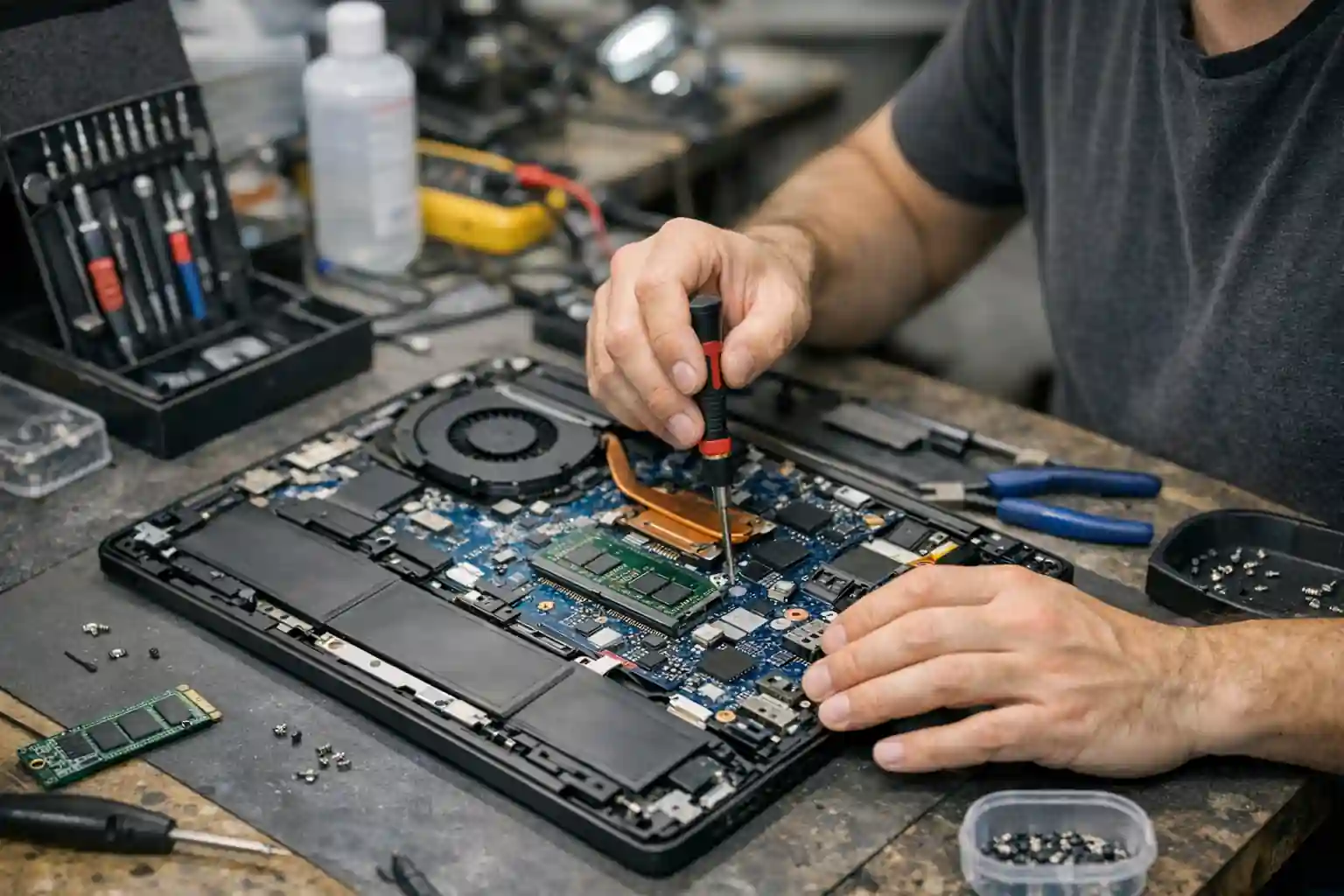
Fast, Reliable Laptop Repair in Spring TX — In-Store on FM 1960 or Mobile to Your Door
Call Us Now!
A cracked screen gets worse with every hour it goes unrepaired. A swollen battery becomes a safety risk that no Spring TX resident should ignore. A charging port that only works at a specific angle will eventually stop working entirely. When a laptop develops any of these problems in Spring TX, waiting is never the right answer — and shipping it away to a national repair center is not the solution either. At Harry Repairs, Harry Repairs offers professional laptop repair Spring TX service both in-store at the FM 1960 shop and through mobile visits directly to any Spring TX home, office, or business. Call (346) 367-5911 right now for same-day laptop repair in Spring TX.
For all 10 device repair services in Spring TX, visit the Spring TX Device Repair Hub.
Why Spring TX Laptops Take More Damage Than Most People Expect
Spring TX creates a unique set of conditions that put laptops under physical and environmental stress that most manufacturers never design for. Understanding these factors explains why laptop repair in Spring TX is such a common and urgent need throughout the year.
Spring TX’s On-the-Go Lifestyle Puts Laptops at Physical Risk
Spring TX residents carry their laptops constantly — from Cypresswood home offices to Champion Forest coffee shops, from Klein ISD school drop-off to Gleannloch Farms coworking spaces, and from FM 1960 commutes to downtown Houston business meetings. Laptops travel in backpacks, get placed on car seats, slide across desks, and get opened and closed dozens of times every day. Consequently, screens crack from backpack pressure, hinges break from daily use, charging ports loosen from constant plugging and unplugging, and keyboards take the physical toll of constant travel. In Spring TX, a laptop is rarely stationary — and that constant movement creates damage that stays-at-home desktop computers never experience.
Temperature Shock From Spring TX Heat Creates a Hidden Danger
One of the most underappreciated causes of laptop damage in Spring TX is temperature shock — and it happens to nearly every Spring TX laptop owner without them realising it. A laptop stored in a car during a Spring TX summer reaches internal temperatures well above 100°F. When that laptop gets brought inside to an air-conditioned office or home, the sudden drop in temperature causes moisture to settle on internal components — including the motherboard, charging circuit, and display connections. Over time, this repeated temperature cycling causes corrosion, intermittent failures, and connection problems that worsen gradually until the laptop stops working entirely. Furthermore, Spring TX’s combination of high outdoor humidity and heavily air-conditioned indoor spaces makes this temperature shock cycle happen almost daily throughout the year.
Klein ISD School Year Creates a Surge in Physical Laptop Damage
Klein ISD students across Spring TX are hard on their laptops in ways that remote workers simply are not. Laptops get crammed into full backpacks alongside textbooks, water bottles, and sports equipment. They get dropped during rushed transitions between classes. Drinks spill on keyboards at lunch. Hinges crack when bags get overstuffed. Screen corners chip when laptops slide off desks. Moreover, student laptops often go an entire school year without any maintenance — meaning small issues like loose hinges and partial screen damage worsen throughout the year until they become urgent repairs. Harry Repairs handles a significant volume of Klein ISD student laptop repairs throughout Spring TX, particularly at the start and end of each school semester.
Spring TX’s New Home Construction Boom Affects Laptop Internals
Spring TX is one of the fastest-growing communities in Greater Houston — and with rapid residential construction comes pervasive dust from nearby building sites. Construction dust is particularly fine and penetrates laptop vents easily, building up on fans, heat sinks, and internal components far faster than regular household dust. As a result, Spring TX residents in newer developments near active construction find their laptops overheating sooner, fans failing earlier, and performance degrading faster than expected.
Common Laptop Problems Harry Repairs Fixes in Spring TX
Cracked or Shattered Laptop Screen
A cracked laptop screen is the most common laptop repair Harry Repairs handles in Spring TX. Screens crack from backpack pressure, drops onto hard floors, objects placed on top of the closed lid, and the physical demands of Spring TX’s active lifestyle. Even a small crack spreads — the display gets darker, touch response fails on parts of the screen, and backlight issues develop. Harry Repairs replaces laptop screens for all major brands with quality displays that match the original brightness, colour accuracy, and resolution. Most Spring TX screen replacements complete the same day.
Swollen or Dead Laptop Battery
Spring TX’s heat accelerates battery degradation faster than in cooler climates. A battery that swells pushes against the laptop’s bottom panel, causes the trackpad to stop clicking properly, and in serious cases creates a genuine safety risk that requires immediate attention. A battery that simply drains too fast or refuses to hold a charge beyond a few minutes makes the laptop unusable when not plugged in power outlet. Harry Repairs replaces laptop batteries for all major brands — both removable and glued-in internal batteries — and verifies the charging system functions correctly after every replacement. If the battery swells, do not continue using the laptop — call (346) 367-5911 immediately.
Charging Port Damage and Charging Failures
Charging port damage is extremely common in Spring TX laptops — particularly among students and remote workers who plug and unplug their charger multiple times daily. A loose charging port, a bent connector, or debris packed into the port all cause charging failures that get progressively worse with every use. Furthermore, Spring TX’s humidity and temperature fluctuations cause internal corrosion around the charging circuit that creates intermittent charging — the laptop charges sometimes and not others, which is one of the most frustrating laptop problems Spring TX residents experience. Harry Repairs diagnoses charging failures accurately, identifying whether the issue is the port itself, the charging cable, the charging IC, or internal corrosion — and resolves it correctly the first time.
Broken or Stiff Laptop Hinge
Laptop hinges break in Spring TX for one primary reason — daily physical use. Laptops that travel in backpacks, get opened and closed repeatedly at school and work, and live the active lifestyle of Spring TX residents develop hinge problems faster than laptops that stay on a desk. A hinge that cracks the surrounding plastic frame, separates the display from the base, or pulls internal display cables causes damage that spreads quickly if ignored. Harry Repairs repairs and replaces laptop hinges for all major brands, reinforcing the frame where needed to prevent the same problem from returning.
Liquid Damage — Spills and Humidity Condensation
Liquid damage in Spring TX laptops comes from two sources — accidental spills and humidity condensation. Coffee, water, and drinks are the obvious culprits. However, Spring TX’s unique climate means condensation from temperature shock also reaches internal components without any obvious spill occurring. In either case, the damage begins immediately and gets progressively worse as corrosion spreads across the motherboard and connected components. Harry Repairs cleans liquid-damaged laptops thoroughly, removes corrosion from affected components, tests every circuit for damage, and replaces components where necessary. The sooner a liquid-damaged laptop reaches Harry Repairs, the better the chance of full recovery.
Keyboard Failures
Laptop keyboards in Spring TX fail from spills, dust and food debris, humidity damage under the keys, and simple wear from heavy daily use by students and remote workers. Individual keys stop registering, entire rows become unresponsive, keys type incorrect characters, or the keyboard disconnects entirely. Harry Repairs diagnoses keyboard issues accurately — distinguishing between a dirty keyboard that needs cleaning, a loose ribbon cable that needs reseating, and a keyboard that needs full replacement — and resolves the issue the same day for most Spring TX laptop models.
Overheating and Thermal Shutdown
Laptops overheat in Spring TX for different reasons than desktops. Laptop cooling systems are significantly more compact, which means dust clogs them faster and thermal paste degrades sooner under Spring TX heat conditions. Additionally, Spring TX students and remote workers often use laptops on beds, sofas, and soft surfaces that block the bottom vents entirely — a habit that dramatically accelerates overheating. Harry Repairs cleans laptop cooling systems thoroughly, replaces degraded thermal paste, and advises Spring TX customers on surface placement habits that prevent the problem from returning.
Safe Steps to Try Before Calling for Laptop Repair in Spring TX
These steps are safe and will not cause further damage. However, if none resolve the issue, the laptop needs professional diagnosis — attempting further DIY fixes risks making hardware problems significantly worse.
For a Cracked Screen
Do not press on the cracked area, pressure spreads the damage to the display panel beneath the glass. Reduce brightness to slow backlight wear. Back up all files immediately in case the screen fails completely before repair. Then call (346) 367-5911 to schedule same-day screen replacement in Spring TX.
For Charging Problems
First try a different wall outlet entirely — not a power strip. Then inspect the charger cable carefully for fraying, bends, or damage near the connector. Clean the charging port gently with compressed air to remove dust and lint. Restart the laptop completely with the charger connected. If the laptop still will not charge or only charges at certain angles, the port needs professional diagnosis.
For Overheating
Move the laptop to a hard flat surface — never use it on a bed, sofa, or pillow. Clean the vents with short bursts of compressed air. Check that no vents are blocked by cases or covers. Close unnecessary applications and browser tabs. If the laptop still shuts down from heat after these steps, the cooling system needs professional cleaning.
For a Keyboard That Won’t Type
Restart the laptop first — driver issues occasionally cause keyboard failures that a restart resolves. Connect an external USB keyboard to confirm whether the issue is the keyboard itself or the system. Check Device Manager for any keyboard driver errors. If keys still fail after these steps, the keyboard needs professional diagnosis to determine whether cleaning or replacement is required.
Our Laptop Repair Process for Spring TX Customers
Every laptop repair Spring TX job at Harry Repairs follows the same clear, transparent process — so Spring TX customers always know exactly what is happening and what it will cost before any work begins.
Step 1 — Accurate Diagnosis First
The technician examines the laptop carefully — testing the screen, battery health, charging behavior, keyboard response, thermal performance, and hinge condition — to identify every issue accurately before recommending any repair. This step prevents unnecessary parts replacement and ensures the right fix gets applied the first time.
Step 2 — Clear Explanation and Upfront Quote
Before any work begins, the technician explains exactly what is wrong, what caused it, what the repair involves, how long it will take, and the full cost upfront. Spring TX customers never receive a price that changes between drop-off and pickup — the quote agreed before any work begins is the amount charged at collection.
Step 3 — Quality Parts and Professional Repair
The technician completes the repair using quality components matched to the specific laptop model. Screens match the original resolution and brightness. Batteries meet or exceed the original capacity. Hinges match the original torque and fit. Cheap parts cause repeat failures — consequently Harry Repairs uses components chosen for long-term performance.
Step 4 — Full Testing Before Return
After every laptop repair in Spring TX, the technician tests all repaired components thoroughly — running the screen through full brightness cycles, verifying charging behavior across a full charge cycle, testing every keyboard key, checking thermal performance under load, and confirming hinge movement is smooth and stable. The laptop only leaves when every test passes.
Step 5 — Warranty on Every Repair
Every laptop repair Spring TX job comes with a warranty on parts and labour. Additionally, if any issue arises after the repair, Spring TX customers can call (346) 367-5911 and speak directly with the Harry Repairs team.
In-Store and Mobile Laptop Repair in Spring TX
Drop Off at the FM 1960 Shop
3934 Farm to Market 1960 Rd W, Houston, TX 77068 Open 7 days a week — 10 AM to 8 PM Walk-ins always welcome — no appointment needed for most repairs
The Harry Repairs shop sits directly on FM 1960 — the road that connects Cypresswood, Champion Forest, Memorial Northwest, Northampton, and Gleannloch Farms. For most Spring TX residents the shop is 5 to 15 minutes away. Drop the laptop off before work or school and most repairs are ready for same-day collection.
Mobile Laptop Repair — We Come to Spring TX
There is a particular irony about laptop repair — a device designed to be portable sometimes needs repair precisely because it has been so portable. For Spring TX residents whose laptops are essential tools they cannot be without for even a few hours, Harry Repairs sends a technician directly to the address.
Mobile laptop repair in Spring TX is ideal for:
Remote workers in home offices throughout Cypresswood and Northampton who cannot lose a working day waiting at a shop. Klein ISD families who need a student laptop repaired before the next school day without leaving home. Spring TX commuters who need their laptop operational before their next business trip or client meeting. Anyone who values having the repair completed in their own space with their data never leaving their sight.
Mobile service reaches every Spring TX neighborhood at no extra charge. Call (346) 367-5911 to schedule same-day mobile laptop repair in Spring TX.
Laptop Brands Harry Repairs Services in Spring TX
Harry Repairs provides laptop repair Spring TX service for all major laptop brands used in Spring TX homes, schools, and businesses:
Windows Laptops — Dell, HP, Lenovo, Acer, Asus, Samsung, and Microsoft Surface laptops used by Spring TX students, remote workers, and small business owners.
Apple MacBooks — MacBook Air and MacBook Pro repairs for Spring TX residents who depend on Apple laptops for work, school, and creative projects. Both Intel and M-series models serviced.
Gaming Laptops — Alienware, ASUS ROG, MSI, HP Omen, and Razer gaming laptops used by Spring TX gamers — screen replacements, thermal paste refresh, and performance optimization all available.
Business Ultrabooks — ThinkPad, EliteBook, and premium business laptop repairs for Spring TX professionals who rely on their laptop for client work and remote business operations.
Student Laptops — All budget and mid-range laptop brands used by Klein ISD students throughout Spring TX — including Chromebook repairs for school-issued devices.
If the brand or model is not listed, call (346) 367-5911 to confirm — Harry Repairs services virtually every laptop available in Spring TX.
Spring TX Neighborhoods Harry Repairs Serves for Laptop Repair
Harry Repairs provides in-store and mobile laptop repair throughout all Spring TX neighborhoods including Cypresswood, Cypresswood Glen, Champion Forest, Memorial Northwest, Gleannloch Farms, Northampton, Spring Creek Forest, Terranova, Windrose, Bridgestone, Devonshire Woods, Spring Shadows, and all surrounding Spring TX communities.
For desktop computer repairs in Spring TX, visit the Computer Repair Spring TX page.
If your Spring TX laptop slowdown is caused by malware rather than a hardware fault, visit Virus Removal Spring TX for complete infection removal before the hardware is assessed.
Frequently Asked Questions — Laptop Repair Spring TX
How long does laptop repair take in Spring TX? Most laptop repairs complete the same day at the FM 1960 shop. Screen replacements typically take 2 to 4 hours depending on the model. Battery replacements take 1 to 3 hours. Charging port repairs and keyboard replacements vary by model. Harry Repairs always provides a realistic timeframe before starting — so Spring TX customers can plan their day accordingly.
Do you offer same-day laptop repair in Spring TX? Yes. Harry Repairs prioritizes same-day laptop repair for Spring TX customers both in-store and through mobile visits. Call (346) 367-5911 early in the day for the best same-day availability. Walk-ins are always welcome at the FM 1960 shop.
Can you come to my home in Spring TX for laptop repair? Absolutely. Harry Repairs provides mobile laptop repair throughout every Spring TX neighborhood at no extra charge. A technician comes directly to the home, office, or business with all tools needed to complete most repairs on-site the same day.
My laptop screen has a small crack — should I get it repaired now or wait? Repair it now. Even a small crack spreads — especially in Spring TX where laptops travel in backpacks and experience temperature changes daily. A crack that starts at one corner will eventually reach the display panel beneath the glass, turning a simple screen replacement into a more complex and costly repair. Call (346) 367-5911 to schedule same-day screen replacement before the damage spreads further.
Is it safe to keep using a laptop with a swollen battery in Spring TX? No — stop using it immediately. A swollen battery is a safety risk. The swelling indicates the battery cells are failing and generating gas internally. In Spring TX’s heat this risk is amplified. Call (346) 367-5911 right away for urgent battery replacement — Harry Repairs handles swollen battery cases as a priority repair.
What laptop brands do you repair in Spring TX? Harry Repairs services all major laptop brands including Dell, HP, Lenovo, Acer, Asus, Samsung, Microsoft Surface, Apple MacBook, Alienware, ASUS ROG, MSI, ThinkPad, EliteBook, and all Chromebook models. If the brand is not listed call (346) 367-5911 to confirm.
Do you repair Klein ISD student laptops in Spring TX? Yes. Harry Repairs handles student laptop repairs throughout Spring TX regularly — cracked screens, broken hinges, spilled keyboards, dead batteries, and charging failures are all common school-year repairs. Same-day service ensures Spring TX students get back to their schoolwork without missing assignments.
Is weekend laptop repair available in Spring TX? Yes. Harry Repairs operates 7 days a week from 10 AM to 8 PM. In-store walk-ins and mobile visits to Spring TX are both available on Saturdays and Sundays — because a cracked laptop screen does not wait for Monday.
Can liquid-damaged laptops be saved? Many can — especially when brought in quickly. The sooner a liquid-damaged laptop reaches Harry Repairs after the spill, the better the chance of full recovery. Do not attempt to power on a laptop after a spill. Turn it off immediately, unplug it, and call (346) 367-5911 for same-day diagnosis.
Get Fast Laptop Repair in Spring TX Today
A cracked screen, dead battery, broken hinge, or failed keyboard does not have to bring daily life in Spring TX to a halt. Whether the laptop needs same-day in-store service at the FM 1960 shop or a mobile technician arriving directly at the Spring TX door, Harry Repairs delivers fast, professional, and guaranteed laptop repair Spring TX service — with honest upfront quotes, no hidden fees, and a warranty on every repair.
Call (346) 367-5911 now. Shop: 3934 Farm to Market 1960 Rd W, Houston, TX 77068 — on FM 1960, minutes from all Spring TX neighborhoods Mobile service available throughout Spring TX — no extra charge Open 7 days a week, 10 AM to 8 PM — walk-ins always welcome


